

Keep what matters.
Drop the rest.
A local photo browser and review app for Mac.
Compare your photos. Keep your favorites.
Less searching.
More seeing.
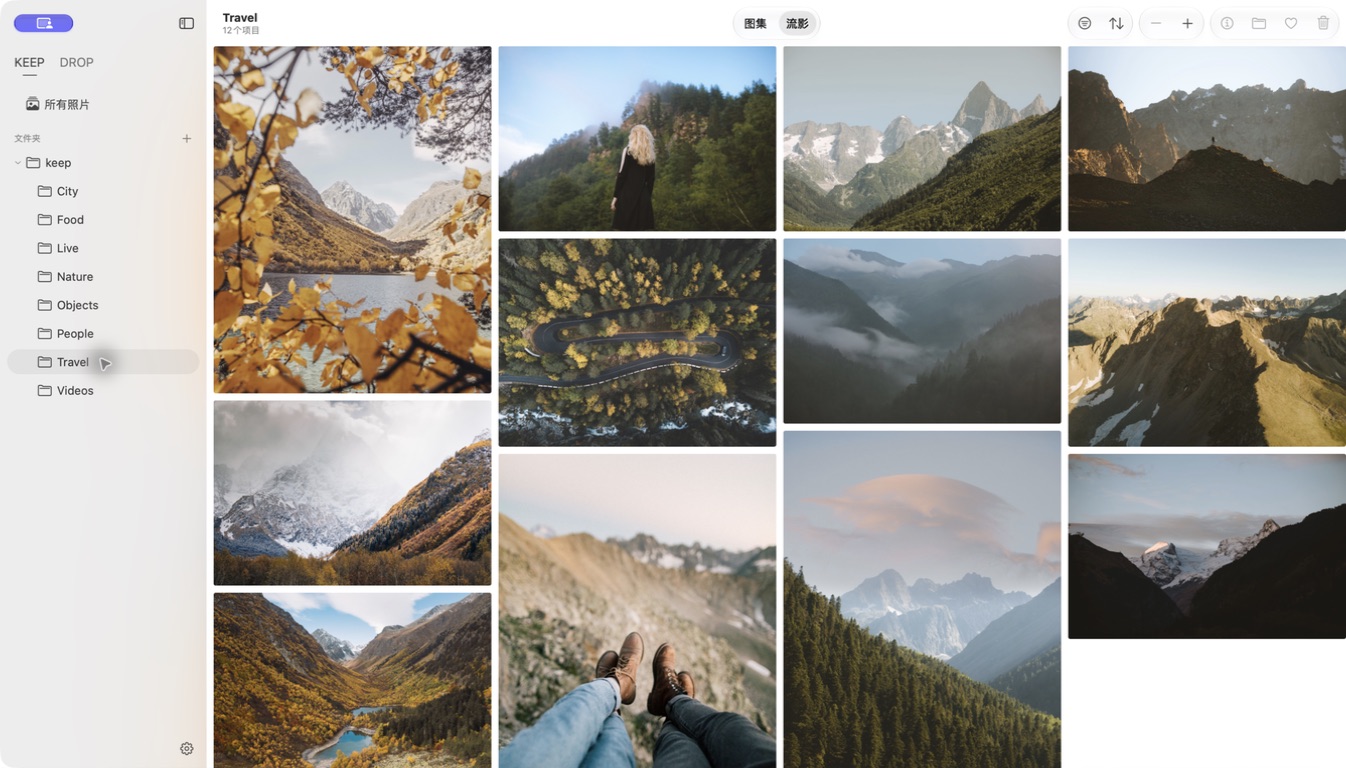
Your folders, together in one library. Browse photos at their natural proportions, revisit your favorites, and let Live Photos bring a moment back.
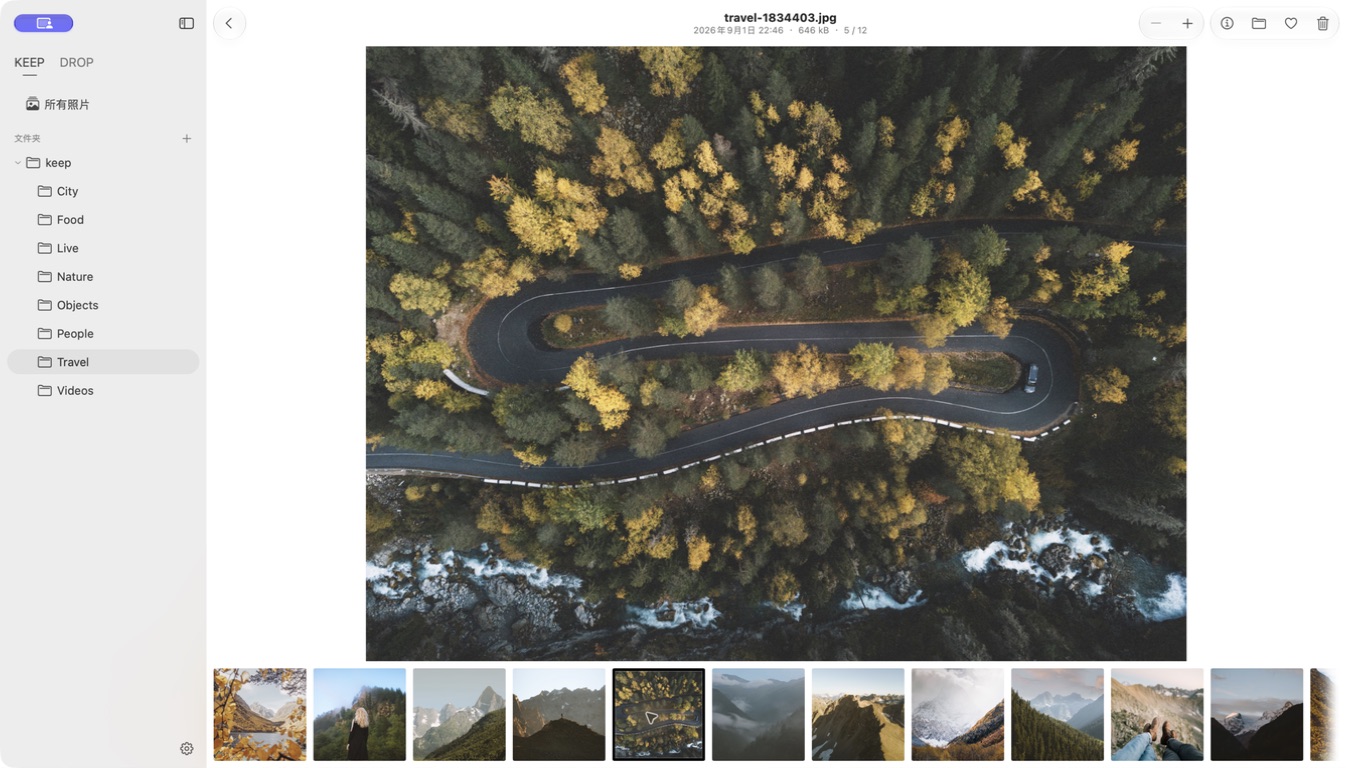
One photo.
Your full attention.
Give a photo the space it deserves. Zoom in on the details, then use the filmstrip to move to the next frame.
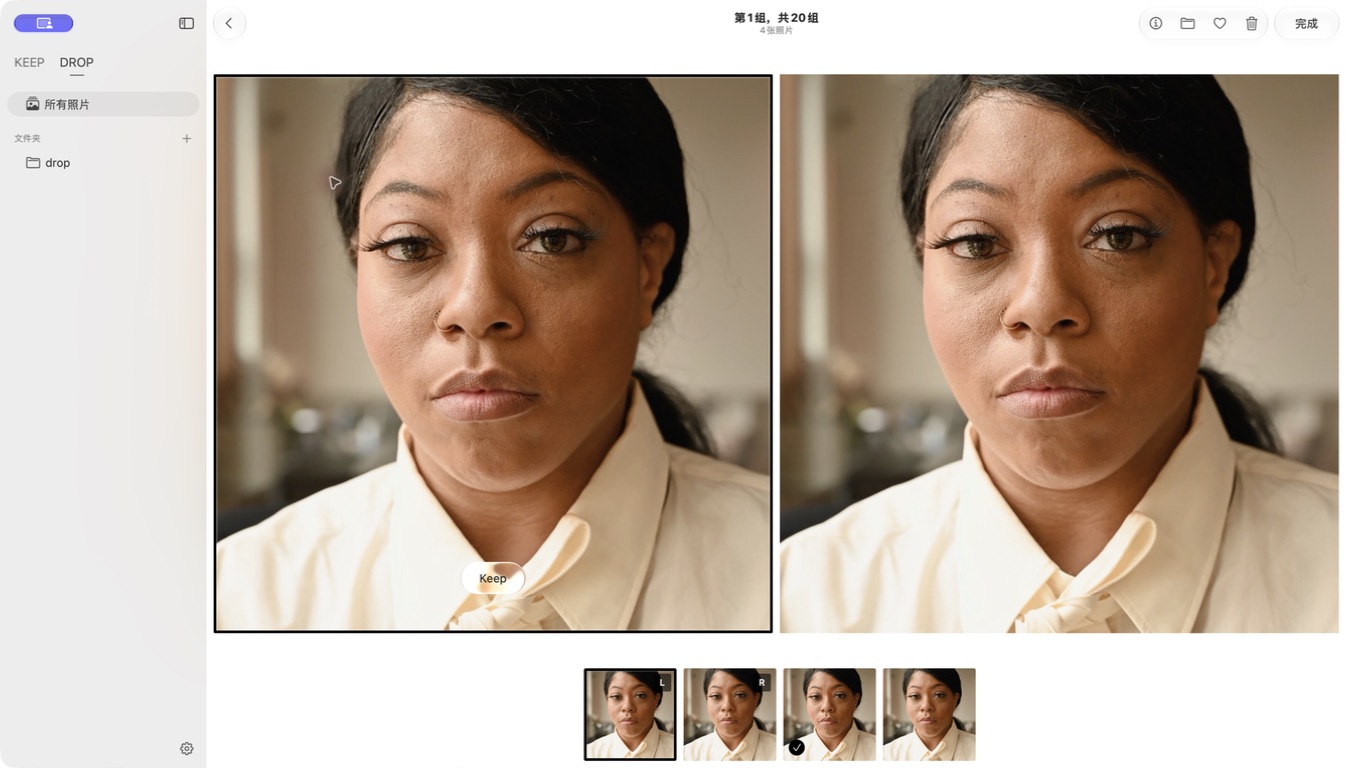
Close calls.
Clear choices.
Find similar photos across your folders. Compare them side by side with synchronized zoom and pan. Mark the ones to Keep, then review the rest before confirming.
FAQ
Does KeepDrop use my Apple Photos library?
No. KeepDrop works with local Finder folders. It does not connect to Apple Photos or iCloud Photos.
Do my photos leave my Mac?
Photo browsing and similar-photo analysis happen locally on your Mac. Your photos and videos are not uploaded. Read the privacy notice.
Are Favorites and Keep the same?
No. Favorites help you revisit photos across your library. Keep is a separate decision used in Similar review. A favorite is not automatically protected by a Keep decision; check the summary before confirming Done.
What happens when I DROP a photo?
In Similar, mark the photos you want to keep and review the summary before confirming. Trash sends files to the Mac’s Trash, with Undo available in the same app session. Read about review and recovery.
Which formats can I browse?
Images: JPEG, PNG, HEIC/HEIF, GIF, and TIFF. Video: MOV, MP4, and M4V. RAW formats include DNG, ARW, CR2/CR3, NEF, and RAF. Paired Live Photos are supported. Preview and playback depend on the format and macOS. Standalone videos are not included in Similar groups.
What Mac do I need?
KeepDrop is being prepared for Apple silicon Macs running macOS 26 or later. An Intel build is not currently offered.
Can I download KeepDrop yet?
A public download is not available here yet. A download link will appear here when the release is ready. See release and pricing status.

Make space for
your favorites.
Download for MacPublic download not yet available — view release statusmacOS 26+ · Apple silicon